All Articles
The Journal
Expense Tracking for Business: The Practical Owner's Guide
October 9, 202611 min readbusiness expense workflowreceipt management
Master expense tracking for business with actionable steps for categories, workflows, and delegation. Reclaim hours and ensure audit-ready records.

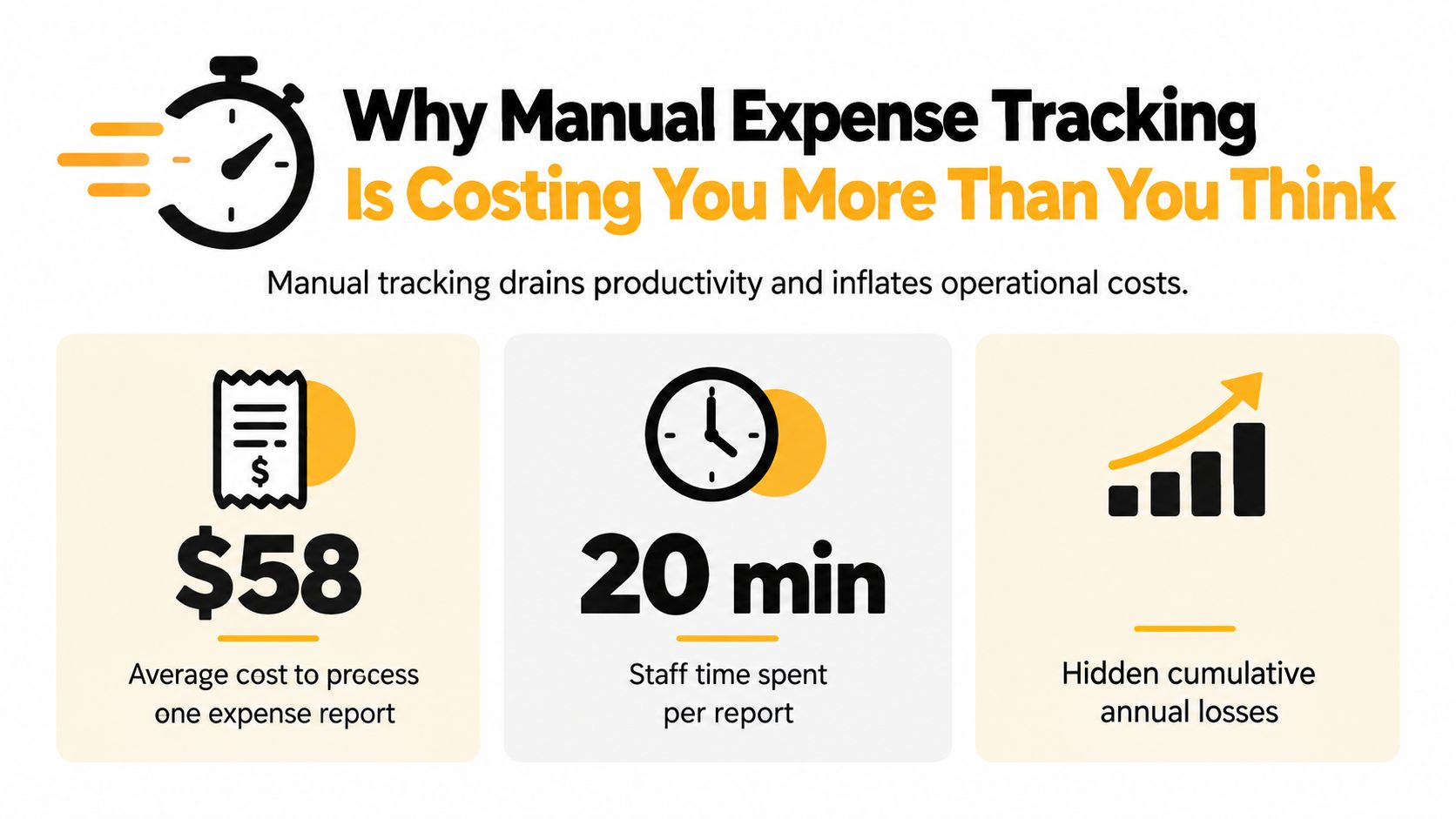
An average expense report costs approximately $58 to process and takes about 20 minutes of staff time. Manual entry turns every receipt into a small operational invoice, and the cost grows when someone has to correct the report.
Expense tracking for business works when it runs continuously, captures the business purpose behind each purchase, and gives the right person a clear exception queue. The objective isn't to buy the most advanced software. It's to build a workflow that employees can follow, managers can approve, finance can reconcile, and an Assistant team can maintain without the owner becoming the system.
Why Manual Expense Tracking Is Costing You More Than You Think
The average report already consumes approximately $58 and 20 minutes of staff time, according to industry reporting on a Global Business Travel Association Foundation study. An erroneous report adds approximately 18 minutes and $52 for correction. That makes manual expense tracking an operating cost, not a harmless back-office task.
For a business processing 100 reports, the reported averages represent approximately $5,800 and about 33 hours of initial handling, before corrections. If 20 reports contain errors, correction work could add approximately 6 hours and $1,040 under those same averages. The work lands on the employee who submits the report, the manager who approves it, and the finance person who investigates gaps.
Documentation is the control
The U.S. Internal Revenue Service treats expense tracking as a substantiation and control function, not merely an administrative convenience. Its recordkeeping guidance says a recordkeeping system must summarize transactions and clearly show income and expenses. Supporting records can include invoices, paid bills, receipts, account statements, credit-card records, deposit slips, and canceled checks.
The taxpayer carries the burden of proof. A legitimate purchase can still become difficult to support if the file contains only a vague bank-feed description, a missing receipt, or no explanation of how the cost relates to the business. A useful record identifies the payee, amount paid, proof of payment, date incurred, and business purpose.
Practical rule: Store the transaction amount and the reason for the purchase together. A bank feed tells you what left the account. It doesn't necessarily explain why.
Systematic tracking also supports financial statements, business monitoring, identification of deductible costs, and tax-return preparation. The IRS generally suggests retaining records for three years, while employment-tax records should be kept for at least four years, as explained in its recordkeeping guidance.
If you need a straightforward primer before redesigning your process, this guide to track your business spending offers a useful starting point. For the broader cost of outsourced bookkeeping, compare the workflow implications in bookkeeping service cost.
A structured process reduces avoidable follow-up. It also makes exceptions visible while the purchase is still easy to remember, rather than forcing someone to reconstruct the story at month-end.
Building a Clear Expense Category Framework
A category framework should help you answer two questions quickly: what did the business buy, and why did it buy it? Categories that exist only for accounting convenience often fail operationally because employees choose “miscellaneous,” while categories built only for budgeting may not give a tax preparer enough context.
The IRS requires records to contain enough information to determine the expense amount, its source, and its business purpose. An expense must generally be ordinary, meaning common and accepted in the relevant trade or profession, and necessary, meaning helpful and appropriate for the business. Those standards don't mean every acceptable cost has the same treatment, so uncertain items should go to a qualified tax professional.
Design categories around decisions
Start with the spending questions you really ask. A consulting practice may separate software, professional development, client travel, meals, contractors, and office costs. A service company may need materials, subcontractors, equipment, vehicle costs, and customer-related purchases.
Keep the list understandable to the person making the purchase. If a technician can't distinguish tools from equipment without opening a policy document, the category structure is too dependent on memory. Use a short definition beside each category and create a separate review route for items that don't fit.
For each transaction, capture:
- Payee: Record the vendor or person paid, not just the card used.
- Amount and payment proof: Preserve the receipt, invoice, card record, or bank evidence.
- Date: Use the date incurred, especially when the charge posts later.
- Business purpose: Explain the commercial reason in plain language.
- Allocation: Identify the client, project, department, or business activity when relevant.
Consider a software subscription. “SaaS charge” in a bank feed is weak context. “Acme Analytics, paid on the transaction date, monthly reporting software for client campaign analysis” gives the reviewer a vendor, timing, purpose, and category to evaluate.
Put context at the point of entry
The best time to add business purpose is immediately after the purchase, while the details are fresh. For travel and client expenses, require the destination, date, participants or business relationship where relevant, and the commercial reason. Under IRS accountable-plan rules, employee reimbursements need a business connection, timely substantiation, and return of excess advances within a reasonable period. The IRS accountable-plan guidance explains those conditions.
Use a simple review test:
- Can a reviewer identify who was paid?
- Can the business prove the amount and payment?
- Does the record show when the cost occurred?
- Is the business purpose specific enough to understand later?
- Does the category support both reporting and internal decisions?
For a practical file-organization model, see this guide to organize receipts. The category framework and file structure should reinforce each other, so a reviewer doesn't need to search three systems to understand one purchase.
Choosing the Right Tooling for Your Workflow
Tool selection should follow the workflow, not replace it. A receipt-capture app, integrated accounting software, and specialized expense platform can all work, but they solve different problems.
A receipt-capture app is often enough for a solo operator who needs a reliable place to photograph receipts and add context. It keeps the habit simple, but it may not enforce approvals or handle complex allocations. Integrated accounting software connects transactions to the books and can reduce duplicate entry, though the expense workflow may feel limited when several people submit purchases.
A specialized expense platform usually adds policy rules, approval routing, employee submissions, card-feed matching, and reporting. That structure helps a growing team, but configuration and user adoption become part of the cost. More features won't help if employees still email blurry receipts at the end of the month.
Compare the operating trade-offs
| Option | Works well when | Main limitation |
|---|---|---|
| Receipt-capture app | One person needs fast mobile documentation | Limited approval and reconciliation controls |
| Accounting software | Transactions already flow through the books | May require extra steps for team submissions |
| Expense management platform | Multiple employees need policies and approvals | More setup and administration |
Manual reporting can produce incomplete, duplicate, late, or erroneous reports, which creates more work during preparation, approval, and verification. American Express describes these costs in its overview of inefficient expense reporting.
Prioritize the features that prevent reconstruction:
- Mobile capture: Employees can photograph a receipt immediately after a purchase.
- Direct attachment: The source document stays connected to the transaction.
- Business-purpose fields: The workflow asks for context before submission.
- Policy checks: Unusual categories or missing evidence become exceptions.
- Accounting integration: Approved data can move into the existing books.
- Simple approvals: The right manager sees the item without manual forwarding.
A good starting point is the simplest tool that employees will use consistently. If you're comparing options for a trade business, this resource on tradie bookkeeping software 2026 provides useful category context. Don't buy enterprise controls to solve a habit problem. First make capture effortless, then add rules as the volume and risk justify them.
Implementing a Delegation-Ready Expense Workflow
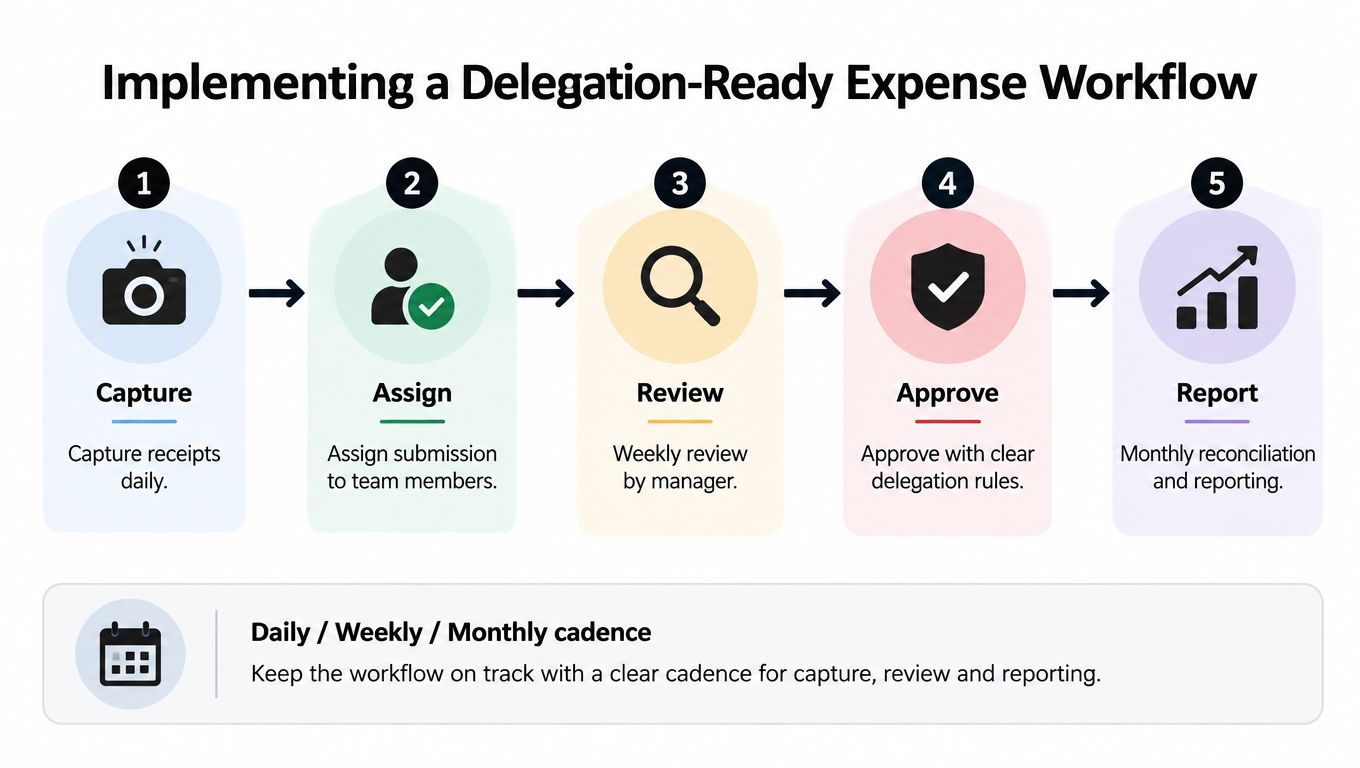
Delegation works only when the handoffs are explicit. An Assistant team shouldn't be asked to “keep expenses organized” without a defined intake channel, category rules, escalation criteria, and approval owner.
Set the workflow around three cadences. Daily capture preserves evidence and context. Weekly review clears exceptions before they accumulate. Monthly reconciliation prepares the records for bookkeeping, reporting, and tax-related handoff.
Daily intake belongs close to the purchase
Give employees two easy submission routes, such as a mobile capture tool and a dedicated email address. Ask them to attach the receipt and add the business purpose while the transaction is fresh. For a client dinner, “dinner with client” is less useful than the client relationship, date, location, attendees, and commercial reason.
An Assistant team can own the intake queue. Its tasks may include:
- Receipt collection: Monitor the designated inbox and supplied card or bank records.
- Context follow-up: Ask the purchaser for missing dates, payees, attendees, or purpose.
- Pre-categorization: Apply the agreed category rules without making final accounting judgments.
- File maintenance: Use consistent names, folders, and transaction attachments.
- Exception routing: Send ambiguous or higher-risk items to the designated reviewer.
Triple-channel access matters for follow-up because the person who knows the answer may respond faster by call, SMS text, or email. Approved Lux Personal Assistant offers a US-based Assistant team that can support expense tracking follow-up, receipt wrangling, and related administrative work through virtual assistant bookkeeping support. It should be treated as operational capacity, not tax or accounting advice.
Weekly review should clear exceptions
The manager or financial reviewer should inspect the queue weekly, focusing on items that require judgment. Examples include a personal meal mixed with a client meal, a canceled trip, a shared subscription, a foreign-currency charge, or a reimbursement without adequate evidence.
Separate preparation from authorization wherever staffing permits. The requester submits the expense, the Assistant team prepares and checks the record, the designated approver authorizes it, and the reconciler compares approved items with the card or bank activity. One person may hold several roles in a very small business, but the risk should be acknowledged and compensating review should be documented.
Use a small exception register with fields for transaction, missing information, owner, next action, and resolution date. Set internal service expectations such as same-day capture for travel and client expenses, weekly resolution of missing context, and escalation of uncertain items to an accountant.
The IRS substantiation guidance generally requires documentary evidence for lodging regardless of cost and for other expenditures of $75 or more, with an exception when transportation documentation isn't readily available. Records should be created at or near the time of the expenditure. That makes prompt intake a control, not just a convenience.
Use the monthly close to match approved expenses against payment records, identify duplicates, confirm unresolved exceptions, and prepare a clean package for the bookkeeper or accountant. A consistent workflow means the owner reviews decisions instead of searching inboxes.
Tracking KPIs to Measure Time Reclaimed and Efficiency
A new workflow is only useful if you can tell whether it reduced operational noise. Track the process for a defined review period and compare the starting condition with the current one. The most valuable measures are practical, visible, and tied to a person who can change the result.
Use a compact operating scorecard
| KPI | How to record it | What it reveals |
|---|---|---|
| Hours reclaimed | Log owner and finance time before and after delegation | Whether capacity moved to higher-value work |
| Reconciliation time | Record time spent preparing and reviewing the monthly close | Whether the records arrive cleaner |
| Receipt-completeness rate | Count transactions with the required evidence and context | Whether capture happens at the source |
| Exception rate | Count transactions requiring follow-up or judgment | Whether categories and policies are clear |
| Duplicate-detection hits | Record suspected duplicate vendor, date, amount, or image matches | Whether review catches avoidable errors |
| Resolution time | Track how long open items remain unresolved | Whether the queue is being managed promptly |
Record the same fields each week across a 90-day review window. Don't change the definitions halfway through. If “hours reclaimed” includes only owner time in one period and all finance time in another, the comparison won't tell you much.
A useful template is:
- Week: Period being measured.
- Transactions reviewed: Total items entering the workflow.
- Missing-context items: Purchases needing follow-up.
- Exceptions closed: Items resolved during the period.
- Owner hours: Time spent by the owner.
- Assistant or finance hours: Time spent on intake, review, and preparation.
- Open high-risk items: Unresolved issues requiring escalation.
Calculate value without pretending precision
The return on delegated expense management comes from comparing the cost of tools and Assistant services with the value of time released from collection, categorization, follow-up, and reconciliation. Use the actual hourly value of the owner or finance employee, not a generic productivity assumption.
For example, if a founder stops spending an afternoon reconstructing receipts and uses that time for client work, sales activity, or product decisions, record the hours released and the value of the work that replaced them. Don't claim every recovered hour creates revenue. Some hours restore rest or decision quality, which still matters, but they should be described accurately.
A clear expense log can also make review faster. This resource on checking expense logs for faster approvals is useful when you want to connect organized records with quicker decision-making.
The control target isn't a perfect-looking dashboard. It is complete payment matching, near-complete documentation before period close, and zero unresolved high-risk exceptions. Review the scorecard with the person who owns each bottleneck, adjust the rule causing repeated confusion, and keep improving the workflow. Over time, continuous capture gives the business clearer financial visibility and removes much of the stress that usually arrives with tax preparation.
Approved Lux Personal Assistant can take on receipt follow-up, inbox and statement monitoring, categorization support, and reconciliation preparation through a US-based Assistant team with Triple-channel access by phone, SMS text, and email. If you want to remove expense administration from the owner's weekly workload, visit Approved Lux Personal Assistant and choose the operating support that fits your business.
Want the wider view?
Ten categories. One report. Every quarter. The Approved List tracks what's rising and what's fading: data-backed signals, not opinions.
Free to join · Delivered by email