All Articles
The Journal
Email Writing Assistant: Delegate to a US-Based Team
October 10, 202612 min reademail delegationvirtual assistant
Learn how an email writing assistant handles your inbox. Discover triage, drafting, and ROI using a US-based Assistant team with triple-channel access.
Knowledge workers spend roughly 11.2 hours a week managing email, so the practical answer isn't another faster drafting tool. Delegate triage, drafting, follow-ups, and routine execution to a human-in-the-loop Assistant team, while you retain approval over consequential messages.
Email has become an operating system for work and home logistics. Global traffic was estimated at approximately 361.6 billion messages per day in 2024, with projections of roughly 392.5 billion per day in 2026, growing near 4% annually (industry email productivity reporting). Your bottleneck isn't typing speed. It's deciding what matters, finding context, making commitments, and closing open loops without allowing your inbox to consume the day.
Why Faster Drafting Is Not the Answer
The average knowledge worker spends about 28% of the workweek on email, or roughly 11.2 hours in a 40-hour week (email productivity statistics). That number matters because drafting is only a small slice of the job. The heavier load sits in triage, context retrieval, judgment, approvals, and follow-through.
That earlier figure includes reading, sorting, deciding whether a reply is needed, gathering facts, adjusting tone, checking dates, and making sure the next step does not get lost. A drafting tool speeds up one mechanical step. You still carry the decisions. In practice, faster writing can increase outbound volume, which creates more replies, more follow-ups, and more administrative drag.
Practical rule: Judge an email writing assistant by how many decisions, interruptions, and open loops it removes, not by how quickly it produces a paragraph.
The gap between incoming and outgoing mail makes this obvious. Office workers receive far more messages than they send. Many of those emails do not require original writing at all, but they still demand attention. Someone has to identify the request, find the prior agreement, assign the next action, and decide whether the issue deserves immediate attention or can wait.
The real cost is context switching
Email wastes time twice. First, it interrupts the task in front of you. Then it forces you to reconstruct that task after you deal with the message.
Intel analysts reported an average of 304 business emails per week, about 36 inbox checks per hour, and an estimated 16 minutes to refocus after handling incoming email (Intel's workplace email analysis). That is why the right model is not AI drafting in isolation. It is human-in-the-loop delegation.
A human Assistant can screen out noise, summarize long threads, pull forward the decisions that need you, and prepare a short approval queue. You stop bouncing between revenue work, operations, personal logistics, and inbox maintenance all day. You review decisions in batches and keep your attention where it earns the highest return.
Reclaim hours, not keystrokes
Use a simple test. If email consumes even half of that 11.2 weekly hours, and a better operating model gives back 20%, you recover roughly 2.2 hours per week, or more than 110 hours across 50 working weeks. That is not a guaranteed outcome. It is a practical way to judge whether delegation pays for itself.
The strongest email writing assistant is not just a text generator. It acts as a force multiplier for operational noise reduction. It turns fragmented requests into clear responses, surfaces missing information before you send, protects you from accidental commitments, and keeps routine communication moving without requiring your hands on every thread.
The Three Levels of Email Intervention
Treat email delegation as a spectrum rather than a binary choice. Start with the lowest level that removes meaningful work, then expand only when your approval rules are reliable.
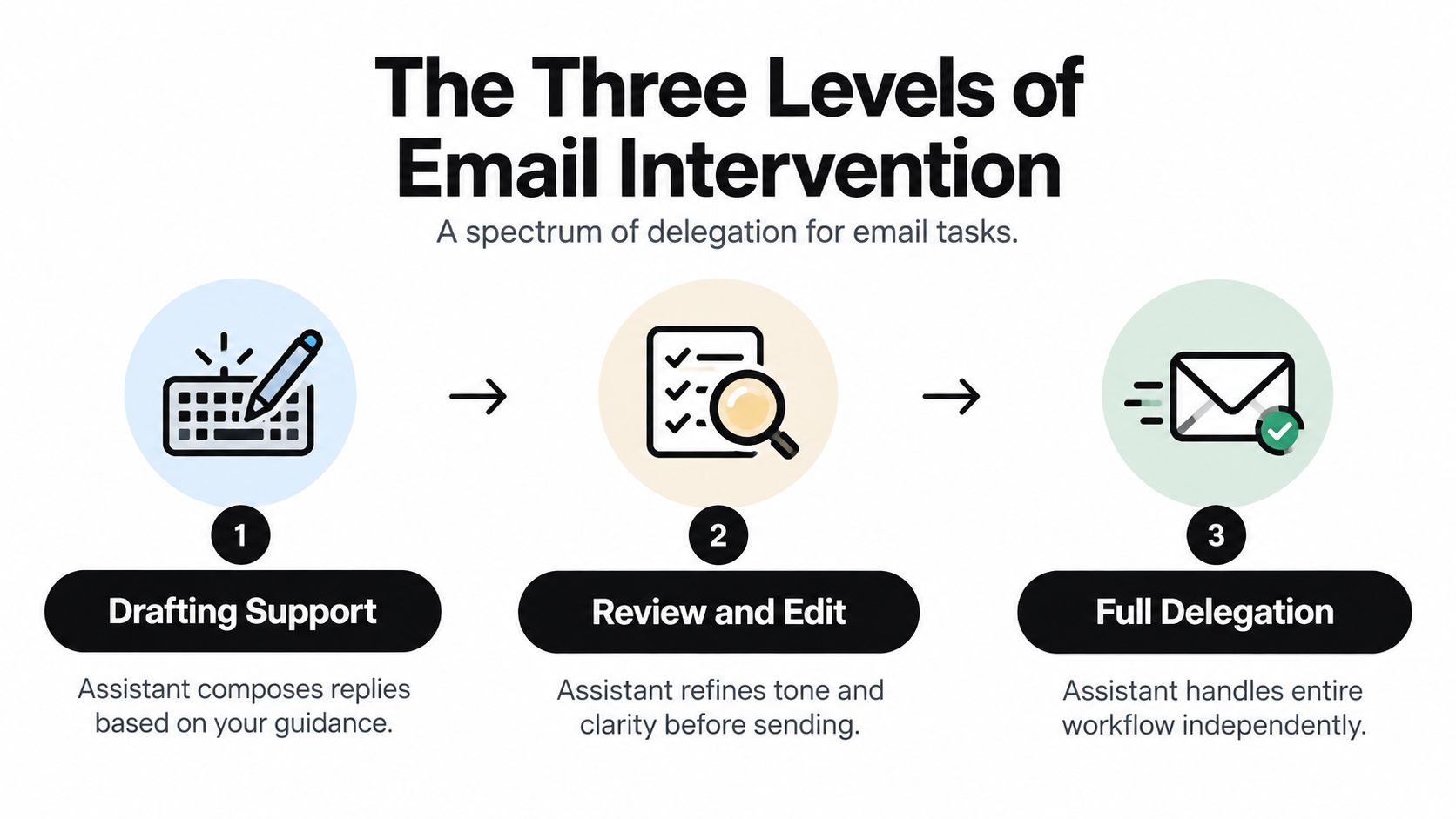
Level one is drafting support
At this level, you provide the facts and the Assistant prepares the message. This works well for a client update, a scheduling request, a vendor follow-up, or a short response to a known question.
The Assistant should identify the purpose, recipient relationship, required facts, tone, requested action, deadline, and next step. A usable draft has a specific subject line, enough context for the recipient to act, and no invented promises. You check names, numbers, permissions, dates, and implied commitments before sending.
This is the right starting point when you want to preserve control but stop spending time on first drafts. It's also useful when your inbox contains many repetitive messages with small variations.
Level two is inbox triage and review
Triage moves the work upstream. The Assistant sorts incoming messages, summarizes long threads, groups routine requests, and flags only the items requiring your personal judgment. Drafts can be prepared alongside the queue, so your review session becomes a decision block rather than a writing session.
Use clear categories such as:
- Personal judgment: Negotiations, sensitive relationships, unusual requests, and decisions with material consequences.
- Approval required: Drafts that are ready but contain commitments, expenses, deadlines, or client-specific details.
- Routine execution: Scheduling, confirmations, status updates, and follow-ups that match established rules.
- No action: Newsletters, duplicative notifications, and messages that don't require a response.
Triage is usually where the largest operational gain appears because it reduces both reading time and unnecessary inbox switching. For teams evaluating workflows and integrations, a detailed features overview can help compare what an email system automates against what still needs human judgment.
Level three is end-to-end execution
Full delegation means the Assistant reads the message, gathers available context, drafts the response, sends it under defined rules, and records any follow-up. This level suits low-risk, repeatable communication, such as appointment confirmations, standard vendor coordination, travel logistics, and routine status requests.
It shouldn't apply automatically to legal, financial, medical, privacy-sensitive, or reputation-sensitive content. Those messages require human approval, even when the draft is technically sound. The same applies when the Assistant encounters ambiguity, conflicting instructions, an unfamiliar stakeholder, or a request that creates a new obligation.
Research supports this human-in-the-loop boundary. In a randomized experiment involving a consequential workplace promotion request, AI autocomplete users wrote longer emails, 160.18 words versus 95.53, and completed the task faster, 303.82 seconds versus 363.66 seconds (study of AI autocomplete and workplace email). The study also found greater reliance on assertive suggestions, with mean reliance scores of 0.55 versus 0.45 for hesitant suggestions. Speed and length don't remove the need for approval. They make approval more important.
Delegating Your Inbox to a US-Based Team
A workable delegation model begins with operating rules, not passwords or vague instructions. A US-based Assistant team can align more naturally with your business context, recipient expectations, working hours, and communication norms. That matters when a short phrase can change the perceived urgency or relationship quality of a message.
Approved Lux Personal Assistant provides 24/7 access to a US-based human Assistant team through phone, SMS text, or email. Its Triple-channel access lets you send a request in the channel that fits the situation, while the team handles inbox triage, email drafting, follow-ups, scheduling, travel, research, and document support. The service uses Proactive Preference Learning, so onboarding captures your routines, tone preferences, stakeholder rules, and access standards for future work.
Build the operating brief first
Start with a concise delegation brief. It should tell the team:
- Which senders receive priority.
- Which messages always require approval.
- Which tasks can be executed without a second check.
- What tone to use with clients, vendors, investors, colleagues, schools, and family contacts.
- Which commitments the Assistant may make.
- How urgent matters should reach you.
- Which topics must be escalated immediately.
Then define examples. “Handle scheduling” is too vague. “Offer these available windows, never move a client meeting without approval, and copy me only when a conflict remains” gives the Assistant a usable rule.
Run the inbox as a queue
A strong daily workflow separates intake from decisions. The Assistant reviews new mail, removes noise, summarizes complex threads, prepares routine drafts, and delivers a concise queue of approvals. You then review items that require judgment, approve messages in batches, and leave the team to execute the rules-based work.
For a founder, that might mean separating customer commitments, investor communication, hiring, vendor issues, and routine scheduling. For a working parent, the queue may include school forms, pediatrician scheduling, activity logistics, and household services. Readers comparing staffing options can also discover virtual assistant funding sources while deciding whether their workload warrants outsourced capacity.
A practical overview of the broader model is available in this guide to a US-based virtual assistant, but the operating principle is simple: delegate the process, not just the sentence.
Keep exceptions with a human
A team should escalate unclear requests rather than guess. It should also preserve the source thread, identify the missing fact, and explain why approval is needed. That creates accountability and keeps the Assistant from strengthening language on its own, inventing certainty, or accepting an obligation you didn't authorize.
The result is a chief-of-staff layer without the management burden of a traditional hire. You retain control over consequential communication while removing the repetitive work surrounding it.
Measuring ROI in Hours Reclaimed
Grammar is a poor success metric. A polished email can still fail because it asks for too much, buries the action, reaches the wrong person, or leaves ownership unclear. Measure the workflow by what happens after the message is sent.
A controlled comparison gives you a clean baseline. Compare human-only drafting with Assistant-supported drafting while keeping the sender, recipient segment, email purpose, and send time consistent. Track the following:
| Metric | What it reveals |
|---|---|
| Median drafting time | Whether composition becomes faster |
| Revision count | Whether the first draft matches your standards |
| Factual-error rate | Whether review catches incorrect details |
| Open loops resolved | Whether follow-ups actually close |
| Action completion | Whether recipients perform the requested task |
| Reply rate and latency | Whether communication moves at the required pace |
| Clarity and politeness | Whether the message remains usable and appropriate |
Use a short measurement period that reflects normal work. Don't compare a quiet week with a deadline-heavy week. Record the time spent reviewing drafts, not only the time spent writing them. Delegation that cuts drafting time but adds lengthy correction sessions hasn't created real improvement.
Optimize for decisions surfaced
Pew Research found that about 60% of work emailers received 10 or fewer messages per day, while 15% processed more than 50. Most spent an hour or less on email, but 4% spent more than four hours per day (Pew Research Center on email use). Those groups need different workflows.
A moderate-volume user may benefit most from drafting support. A high-volume user needs triage, grouping, escalation, and follow-up tracking before drafting becomes useful. The key output is a smaller decision queue, not a larger pile of generated text.
Make the call to action measurable
A randomized crossover field experiment covering 16,880 workplace emails from 121 employees across six companies found that LLM rewriting changed emotional tone, but playful and professional rewriting did not change open rates, reply rates, or response times (field experiment on LLM email rewriting). The practical lesson is direct: warmth and polish don't substitute for a clear request.
End operational messages with one owner, one requested action, and, when relevant, one deadline or reply format. Track whether the recipient completes that action. A useful ROI calculation method should include hours reclaimed, interruptions avoided, and follow-ups closed, not just the number of drafts produced.
Optimizing Subject Lines and Turnaround
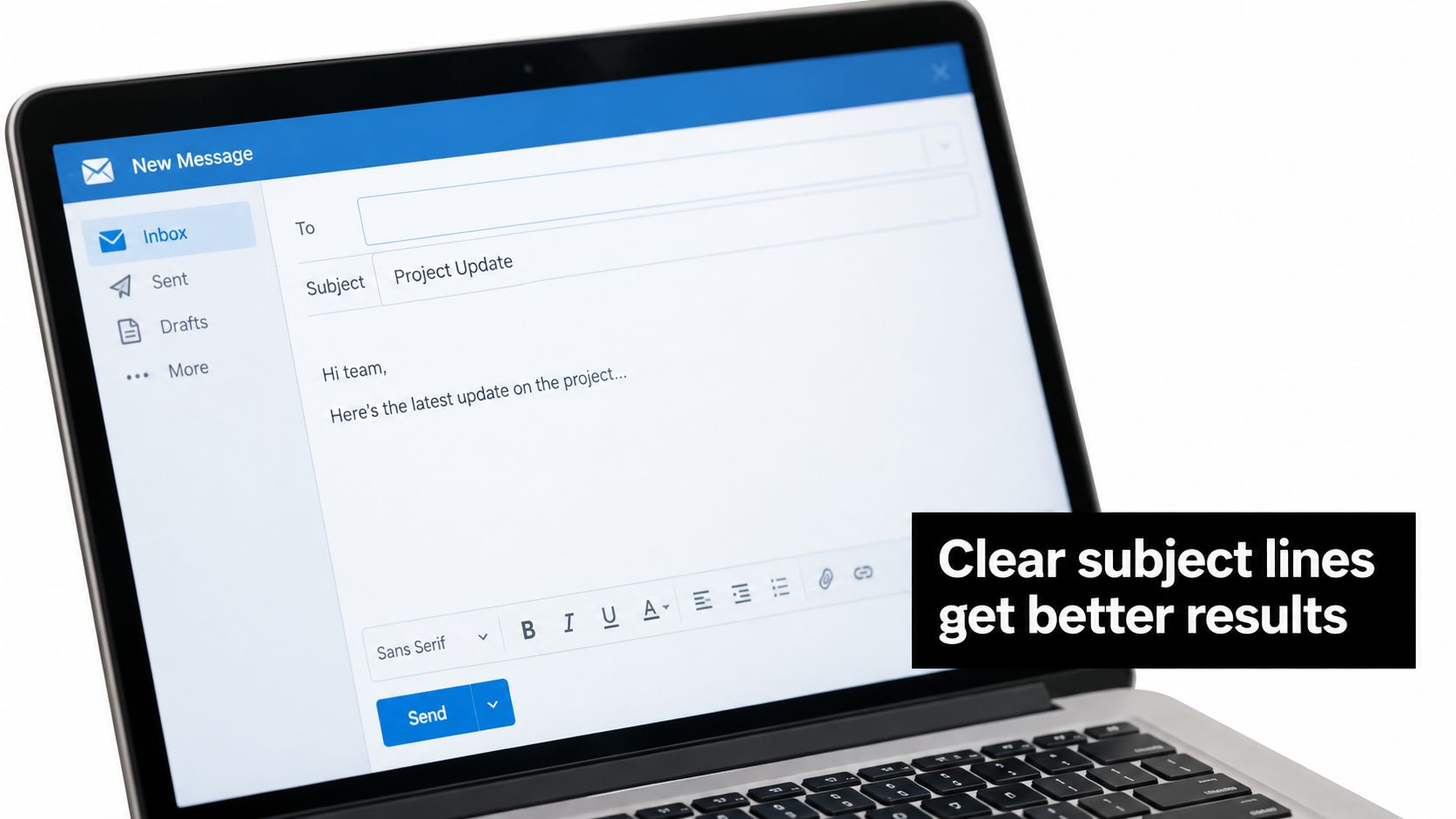
A subject line should help the recipient and the Assistant understand the work immediately. Use an action and a context, such as “Approve vendor quote for office move” or “Confirm Thursday client call.” Avoid vague subjects that force the recipient to open the thread before understanding the request.
Don't test subject lines for cleverness. Test them for routing value. A strong subject identifies the decision, owner, deadline, or relevant project. The right version makes triage easier before it improves engagement.
Create turnaround rules by urgency
Set service expectations by category rather than promising that every message receives the same treatment.
- Immediate escalation: Client emergencies, travel disruption, time-sensitive decisions, and messages from priority stakeholders.
- Same-day review: Drafts containing commitments, scheduling conflicts, or decisions that affect other people.
- Batched handling: Routine confirmations, vendor questions, status updates, and low-risk follow-ups.
- Scheduled maintenance: Newsletters, nonurgent research, and messages that can wait for a planned review block.
The Assistant should know what “urgent” means in your operation. A vague instruction creates unnecessary escalation. A precise rule might state that an itinerary disruption receives immediate outreach, while a routine restaurant preference can wait for the next queue.
For people who think faster aloud than they type, email dictation software can improve the quality of the initial guidance. Dictation doesn't replace review. It gives the Assistant better raw material about intent, constraints, and recipient context.
Use templates without sounding templated
Build examples for recurring situations, but don't force every message into identical language. A scheduling email can follow a fixed structure. A client escalation needs room for judgment. Provide the Assistant with approved openings, sign-offs, preferred terminology, and phrases to avoid, then allow adaptation based on the relationship.
A useful draft contains:
- A subject that states the action.
- One sentence of context.
- The specific request.
- The owner and deadline.
- Any required options or reply format.
- A clear next step.
A deeper set of professional email writing tips can support style consistency, but your internal rules matter more than generic etiquette.
Review is mandatory when a message contains sensitive information, legal or financial implications, medical details, reputational risk, or an unfamiliar commitment. The Assistant should flag those conditions rather than make the message sound more confident than the underlying facts justify.
The video below offers another practical way to think about delegated drafting and message preparation.
Eliminating the Second Shift
Participants in one study received a mean of 10.29 work emails outside normal working hours over a 24-hour period, with a range from 0 to 400. Mean after-hours engagement was 6.38 emails, with a range from 0 to 150 (study of after-hours email engagement and well-being). The same researchers linked after-hours email engagement with poorer physical and psychological health, even though they did not find an association with productivity. That matters because the true cost of email is not drafting speed. It is the second shift created by unresolved requests, vague ownership, and follow-ups that stay in your head until night.
A strong email writing assistant should reduce that load, not just produce cleaner sentences. Drafting tools help with wording. A human-in-the-loop delegation model handles the operational residue around the message: triage, context gathering, follow-up tracking, and escalation. That is what stops email from bleeding into personal time.
Protect the boundary with process
Use an Assistant team to sort incoming messages, prepare replies, maintain follow-up queues, and pass you only the calls that require judgment. That changes email from a stream of interruptions into a controlled workflow. You review during set windows. Sensitive messages still come to you. Everything else keeps moving without asking you to remember it later.
The same pattern shows up at home. Bright Horizons found that breadwinning mothers were three times as likely as breadwinning fathers to manage children's schedules and transportation to activities and appointments, 76% versus 22%. Breadwinning mothers were also more likely to manage family finances, 71% versus 53%, and organize family gatherings and vacations, 73% versus 56% (Bright Horizons research on mental load).
An Assistant can pull dates from school, camp, activity, and medical-office emails, flag missing forms, draft confirmations, and keep a deadline queue current. The parent still decides. The Assistant removes the remembering, chasing, and repetitive correspondence.
The target isn't an empty inbox. It's a day in which important decisions reach you without every message demanding your attention.
Approved Lux offers a 24/7 US-based human Assistant team for inbox triage, email drafting, follow-ups, scheduling, travel, research, and household logistics through triple-channel access by phone, SMS, or email. If you want to remove email administration from your workday and your second shift, visit Approved Lux Personal Assistant.
Want the wider view?
Ten categories. One report. Every quarter. The Approved List tracks what's rising and what's fading: data-backed signals, not opinions.
Free to join · Delivered by email