
All Articles
The Journal
How to Use Scheduling Assistant
October 22, 202612 min readcalendar delegationtime management
How to use scheduling assistant. Learn how to use a scheduling assistant to delegate calendar work, resolve conflicts, and reclaim hours each week

68% of workers said they lacked enough uninterrupted focus time, according to Microsoft's 2023 Work Trend Index. That reframes scheduling: the problem isn't finding somewhere to put another meeting. It's preventing the coordination around that meeting from consuming the attention you need for everything else.
Learning how to use a scheduling assistant starts with transferring responsibility, not forwarding invitations. A useful handoff gives a human Assistant team the authority, constraints, and follow-through standards to finish the work without turning you into its project manager.
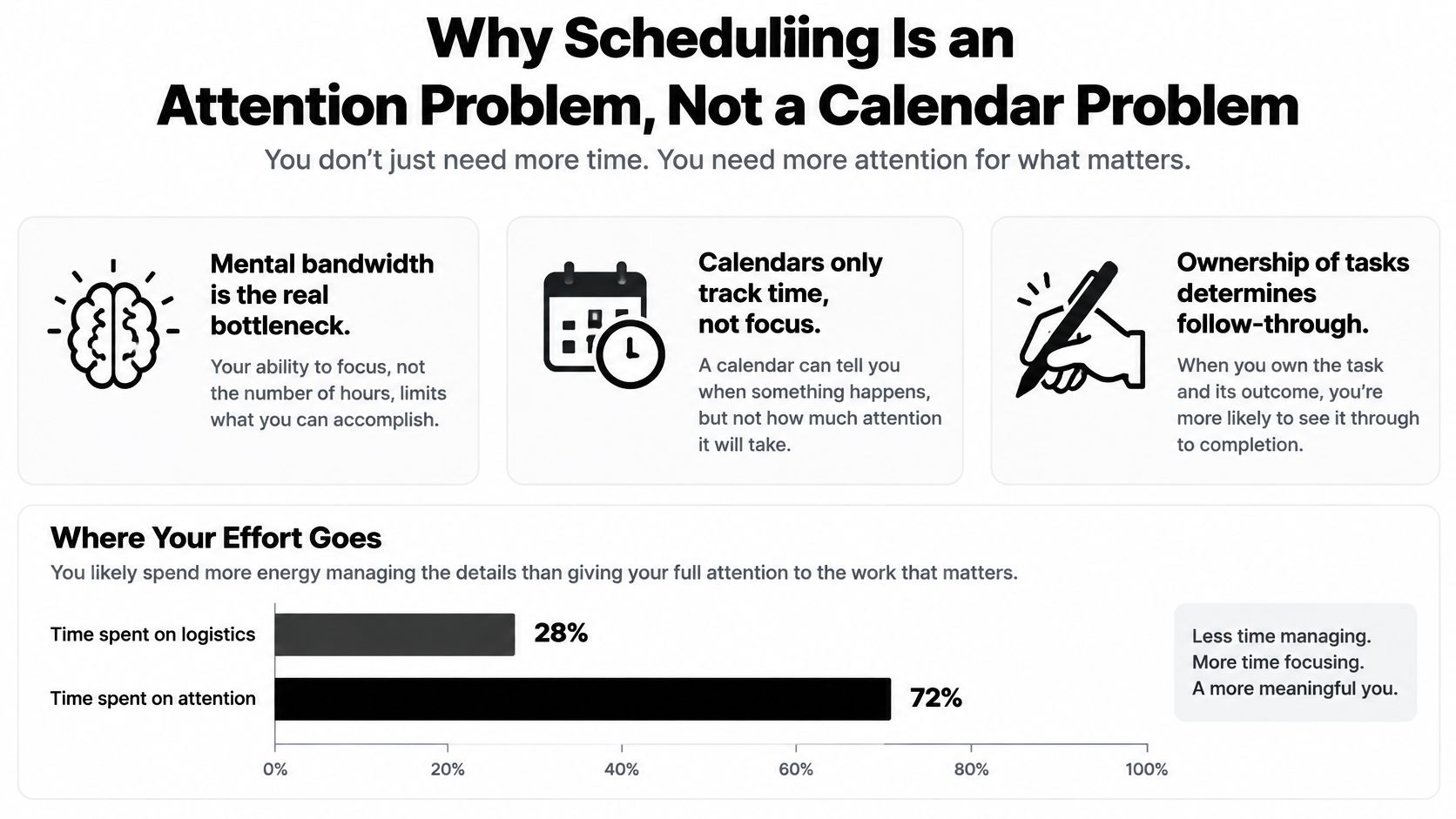
Why Scheduling Is an Attention Problem, Not a Calendar Problem
A calendar shows that you're available. It doesn't establish whether you should be available, whether you need preparation time, or whether someone still needs to call the office and confirm the appointment.
For this purpose, a scheduling assistant is the person or team responsible for turning a request into an executable, maintained plan. A calendar tool helps display availability and record events. A human-led Assistant team can gather missing information, contact participants, negotiate alternatives within your rules, and handle exceptions.
Identify what you're actually handing off
Start by finding the work surrounding an appointment:
- Before booking: Who notices the obligation, researches options, and gathers everyone's constraints?
- During coordination: Who contacts the provider, checks alternatives, and obtains confirmation?
- After booking: Who monitors changes, handles reminders, and follows up on unfinished tasks?
For a founder, the burden might be interrupting product work to negotiate an introductory call. For a dual-career parent, it might be remembering that a household appointment still needs booking. For a frequent traveler, it might be discovering that an otherwise open slot leaves no room to reach the airport.
Consider a home-service visit. You can use South Mountain Window Cleaning, LLC's scheduling page to set up your cleaning visit, but someone still needs to check household availability, arrange access, and record the confirmed plan. Delegate those connected tasks, not just the form submission.
Practical rule: If you still have to remember whether the task happened, you haven't transferred ownership.
Write down the specific problem you want removed: unanswered vendor messages, repeated availability checks, appointments booked across focus time, or reminders routed through the same parent. That becomes your operating objective.
A fuller calendar isn't evidence of success. Operational noise reduction means fewer decisions returning to you and fewer obligations requiring you to keep checking.
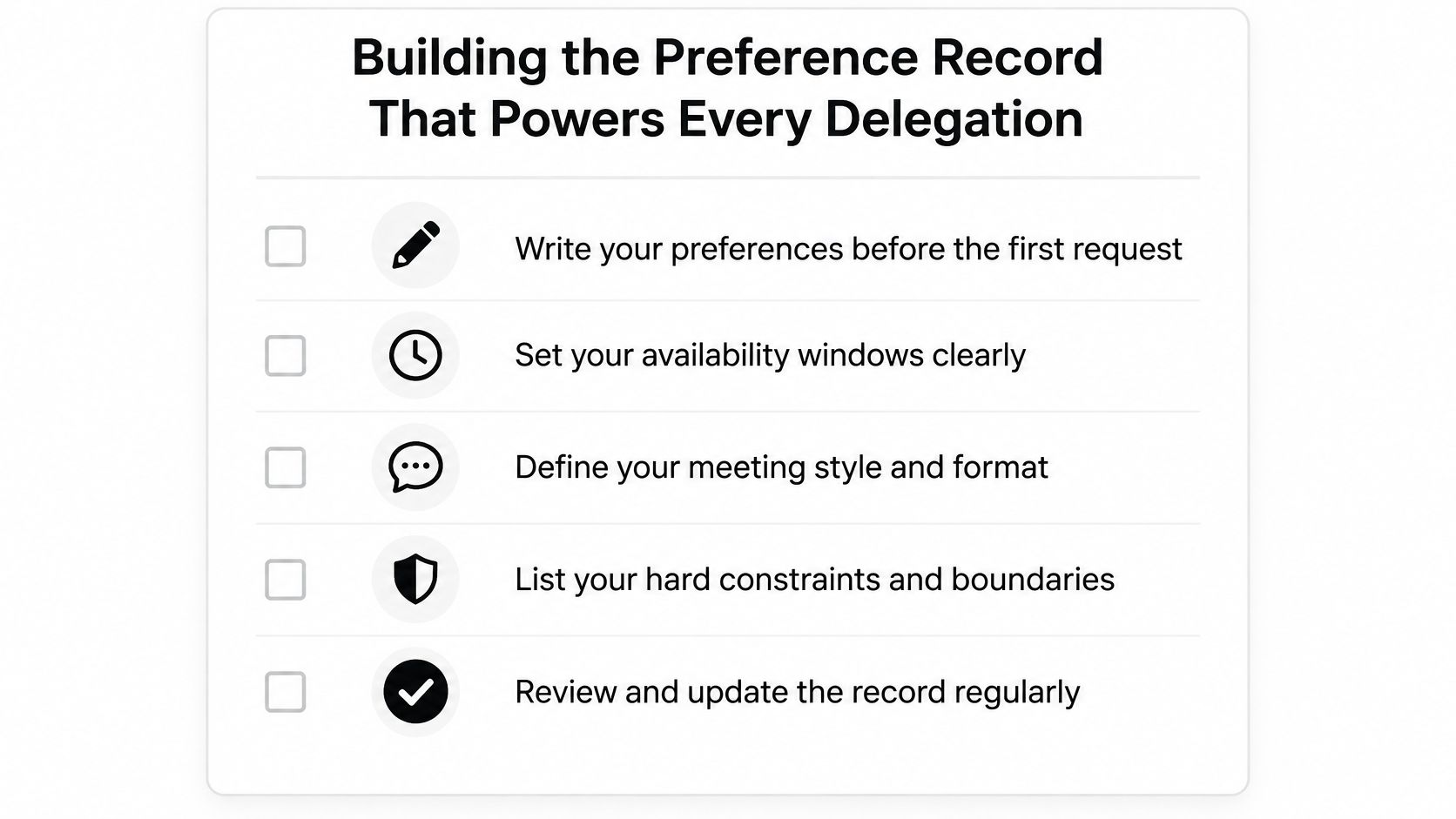
Building the Preference Record That Powers Every Delegation
“Check my calendar” is an incomplete brief. The Assistant team needs to know which open spaces are bookable and which decisions it may make without permission.
Create a shared preference record before sending the first request. Keep it readable enough that another team member can apply it without reconstructing your habits from old messages.
Record rules, not vague preferences
Include these fields:
- Availability: Working windows, home time zone, and how availability changes while traveling.
- Protected commitments: School pickup, caregiving, personal appointments, and focus blocks that aren't available for routine requests.
- Meeting defaults: Usual duration, preferred format, minimum notice, and required preparation.
- Movement constraints: Travel buffers, acceptable neighborhoods, location limits, and recovery time after demanding appointments.
- Financial authority: Approved spending limits, deposit permissions, and cancellation-fee thresholds.
- Escalation: What the Assistant team may approve independently and what must come back to you.
- Visibility: Who receives confirmations and what information belongs only on a private calendar.
Don't hide hard boundaries inside conversational language. “Prefer not to miss pickup” invites interpretation; “Never book across school pickup without my approval” establishes a rule.
Sample briefs for different operating needs
Founder brief
Book routine external calls in my afternoon meeting windows. Keep morning product-work blocks intact. Use video unless an in-person meeting is necessary, include preparation time for customer discussions, and ask before accepting any cancellation fee. Send confirmed details rather than availability threads.
Dual-career household brief
Treat school pickup and existing care arrangements as hard constraints. Either parent may approve routine household appointments within our agreed spending limit. Send access instructions to the attending adult, keep sensitive appointment details private, and escalate only when no approved window works.
The trade-off is straightforward: tighter rules reduce interruptions but may slow booking. Broader authority can speed coordination, but it requires explicit boundaries around cost, privacy, and inconvenience.
With Approved Lux's Proactive Preference Learning, corrections should become reusable operating rules. If you reject an appointment because the location makes pickup impractical, explain that reason and ask the Assistant team to update the record. Don't let a useful correction remain buried in a text thread.
Review changes deliberately. A preference learned during a business trip shouldn't become your permanent home schedule.
Commands That Travel Well Across Call, Text, and Email
Choose the channel that makes the request easiest to communicate, not the one you assume receives faster service. Approved Lux's Triple-channel access gives phone calls, SMS text, and email equal priority; the practical difference is how much context each format carries.
A useful command contains the objective, relevant constraints, desired output, and permission to complete the booking. These templates are examples to adapt, not reports of completed requests.
Booking a new appointment
- Call: “Please book my routine dentist appointment before the deadline in my record. Use my approved appointment windows and existing practice. Read back the proposed plan, then text the confirmed booking and preparation instructions.”
- Text: “Book the dentist using my saved windows. Keep pickup protected. Confirm with the practice, then send the date, local time, location, and any preparation requirements.”
- Email: “Please arrange the appointment using the attached referral and my preference record. Return a booking summary with the provider, appointment details, and required documents. Ask before accepting a fee outside my authority limits.”
Changing an existing appointment
- Call: “My travel plans changed. Move the appointment referenced in my calendar without disturbing the client meeting. Explain any fee before proceeding and text me when the replacement is confirmed.”
- Text: “Move the home-service visit to an approved window next week. Keep the same scope. Confirm the replacement with the provider and attending adult before marking this complete.”
- Email: “Reschedule the meeting in this thread. Retain the required attendees and agenda, offer viable alternatives, and reply with the updated invitation status.”
Researching before booking
- Call: “Find a suitable maintenance provider within my location and spending rules. Talk me through the shortlist, then book my approved choice and send the confirmation.”
- Text: “Research camp options against the household record. Send a concise comparison with availability and registration requirements. Wait for approval before paying or enrolling.”
- Email: “Compare suitable providers using the attached requirements. Include scheduling availability, relevant terms, and unresolved questions. Recommend an option, obtain my approval, then complete the booking.”
For longer-term channel choices, establish a preferred contact method for routine updates and a separate route for urgent exceptions.
Channel Fit for Common Scheduling Requests
| Request type | Best channel | Why |
|---|---|---|
| Brief reschedule | Text | The change and constraints fit in a compact message |
| Conflicting priorities | Call | You can explain judgment-sensitive trade-offs |
| Research with attachments | Requirements and supporting documents stay together | |
| Routine confirmation | Text | The final plan is easy to retrieve |
| Documentation-heavy booking | Terms, receipts, and instructions remain organized |
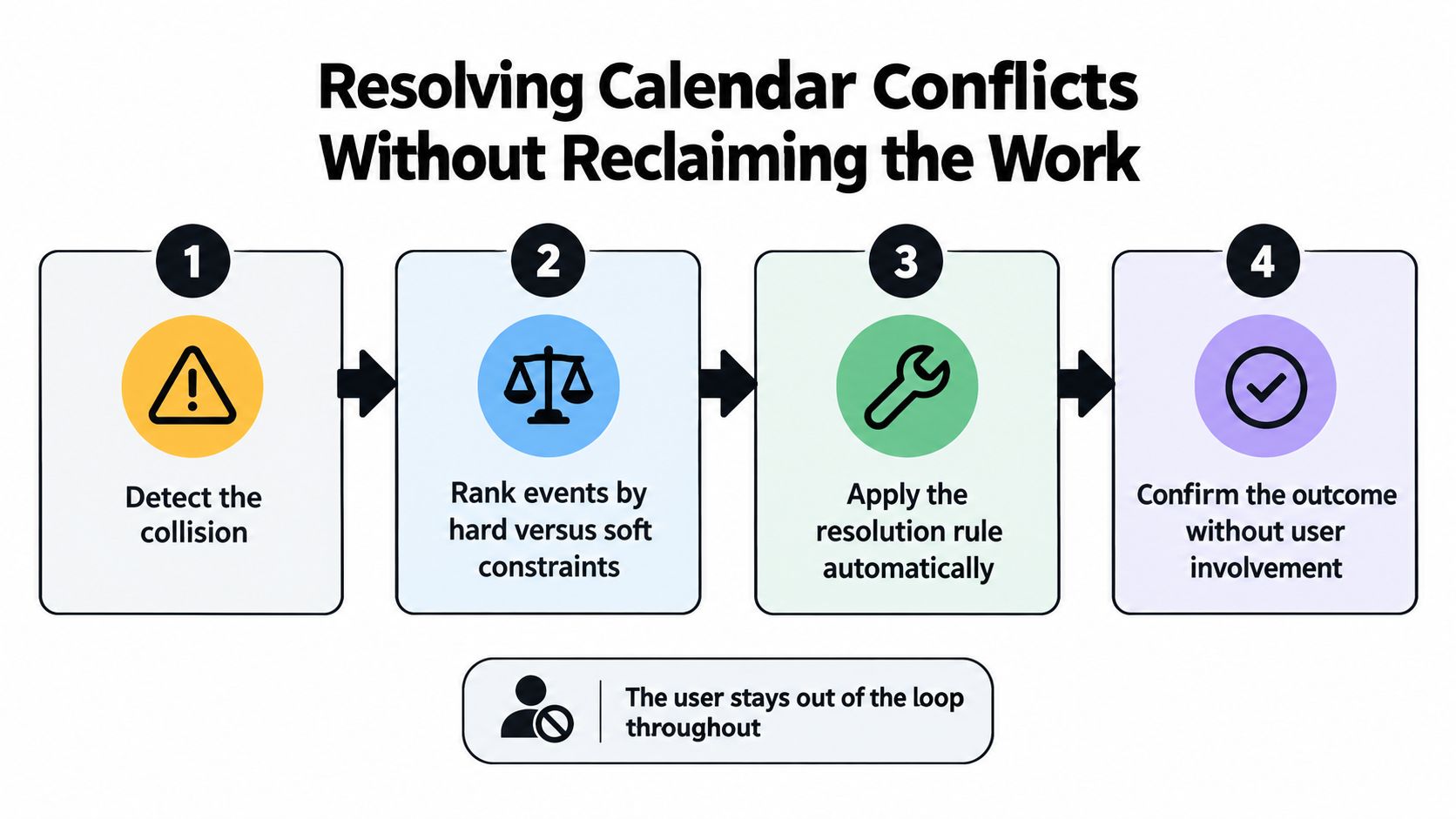
Resolving Calendar Conflicts Without Reclaiming the Work
A conflict isn't always an overlap between calendar rectangles. It can be an appointment that technically ends before pickup but leaves no travel time, or a call whose local time changes after a participant updates their location.
Microsoft's analysis of the infinite workday found that nearly one-third of meetings crossed multiple time zones. Explicit location and time-zone checks belong in conflict review, not just in the final invitation.
Work the collision through to resolution
Use this sequence:
- Detect the actual collision. Check event times, participant locations, daylight-saving changes, preparation, and travel.
- Rank hard and soft constraints. Separate obligations that cannot move from preferences that can.
- Prepare ranked alternatives. Offer two or three feasible options with their costs and consequences.
- Apply authority or escalate. Resolve within the preference record. Ask you only when the choice exceeds it.
The automatic path applies only within delegated authority. A conflict involving an unapproved expense or an immovable commitment requires a decision, even when routine changes don't.
A sales call collides with school pickup
Suppose a client changes the time zone on a sales-call invitation, creating a collision with school pickup. The Assistant team checks the actual local start time, preserves the pickup travel buffer, and contacts the organizer for alternatives.
The best option might be moving the call into an approved window. Another might be asking an already-authorized household member to handle pickup. If neither works, the Assistant team shouldn't invent permission to hire transportation or move a sensitive commitment.
The escalation should arrive as a decision packet:
The client can't move within your approved windows, and the authorized pickup substitute is unavailable. I recommend asking the client to meet after pickup. Please approve that exception or authorize an alternative pickup arrangement.
For families coordinating practices and games, keep Vanta Sports youth sports scheduling alongside the household's other scheduling resources. Tell the Assistant team which team calendar or organizer to check when details differ.
Maintain the same discipline with broader calendar management practices: a reschedule isn't finished until the relevant parties receive the revised plan. Removing the original event without confirming its replacement hides unfinished work.
Follow-Up Templates That Close the Loop After Every Booking
A dual-career household juggling a pediatric appointment, camp registration, and a maintenance visit illustrates the workload. Booking the slot is only step one. Someone still has to confirm attendance, collect documents, chase unanswered questions, and notice when a deadline sits unresolved.
That administrative work carries real stakes. Research on patient administrative burden in the United States found that 24.7% of respondents reported delayed or missed care connected to seeking appointments. An Assistant team can handle outreach and tracking without making clinical decisions or promising access to a particular provider.
Reuse context instead of restarting the request
For the pediatric appointment, the parent delegates confirmation:
Appointment check: Confirm tomorrow's appointment with the office. Verify location, arrival instructions, and required paperwork. Notify the attending parent of changes and ask the office to clarify clinical questions rather than interpreting them.
The camp request needs a different closeout. Once the parent approves an option, the Assistant team tracks registration status and outstanding documents rather than declaring success after submitting an inquiry.
A meeting or planning call can use this template:
Action capture: Turn the notes I provide into actions with an owner and deadline. Send each person only their relevant items. Keep unresolved decisions marked pending, and don't infer commitments that weren't agreed.
For the maintenance provider that hasn't replied:
Open-request follow-up: Contact the vendor again, record the response, and maintain a next-contact checkpoint. If the original window is unavailable, seek an approved substitute. Escalate when the deadline is at risk, with a recommended next move.
Each template does the same thing: it hands the Assistant team an owned loop with a defined finish line, so nothing closes until someone confirms it closed.
Route updates to the responsible person
For an individual account, the user may be the sole approver. On Lux Circle, which supports up to four people on an account, identify the authorized approver and attending person for each task before the request goes out.
Shared access shouldn't mean forwarding every update to everyone. Send the maintenance arrival notice to whoever will open the door and the camp document request to whoever owns enrollment.
Use follow-up automation principles to define repeatable checkpoints. The human Assistant team still applies judgment about whether a response resolves the request or just acknowledges it.
Measuring the Hours Saved Without Gaming the Numbers
The number of events booked is a poor success measure. An Assistant team could fill your calendar while increasing approval messages, unnecessary travel, and preparation pressure.
Measure your remaining involvement instead. Keep a lightweight request log with received, confirmed, changed, and completed timestamps, plus a note whenever you had to clarify something or intervene.
Build a weekly operating scorecard
Useful Metrics vs Vanity Metrics
| Useful metric | Vanity metric | Why it matters |
|---|---|---|
| Median time-to-confirmation | Speed of initial acknowledgment | Measures progress to a confirmed plan |
| Percentage completed without clarification | Messages exchanged | Reveals whether the initial brief is usable |
| Calendar conflicts prevented | Conflicts merely flagged | Distinguishes completed intervention from another alert |
| Hours of protected focus recovered | Empty calendar space | Counts usable work blocks you actually retained |
| Reschedule completion time | Speed of deleting the old event | Measures time until the replacement plan is confirmed |
Define the start and finish of each measure consistently. For example, reschedule completion runs from the change request to confirmation of the replacement, not to the first availability proposal.
Count a prevented conflict only when there was a documented collision and a completed resolution. Don't credit every rejected slot as a separate save.
Interpret the pattern, not just the total
If clarification stays frequent, inspect the preference record. Repeated questions about acceptable locations suggest a missing boundary; repeated approval requests may indicate that the authority threshold is too narrow.
Count your own reading, approving, correcting, and checking time as part of the cost of delegation.
Don't convert every protected block into claimed productive output. Record whether you used it for focused work, recovery, or a family priority, and keep that distinction visible.
Apply the same standard to Approved Lux's human Assistant team as to any alternative: did you spend less attention managing scheduling work? A fast reply is useful, but completed coordination and fewer manual interventions are stronger evidence of value.
Your First 30 Days of Delegating Calendar Work
Begin with work that has clear boundaries. Hand off routine bookings, vendor follow-ups, and travel buffers before delegating judgment-heavy exceptions.
Keep high-stakes negotiations, sensitive family appointments, and anything requiring legal, medical, financial, or tax advice under your control initially. Administrative coordination can still be delegated, but advice and consequential decisions stay with you or the appropriate professional.
Expand authority gradually
- Week one: Build the preference record and delegate a routine booking category. Review the completed result, not every message along the way.
- Week two: Add another request category and communication channel. Check that the Assistant team can use shared context without asking you to repeat it.
- Week three: Authorize defined conflict-resolution actions. Keep spending, privacy, and hard-constraint exceptions subject to approval.
- Week four: Review the scorecard and revise the rules behind recurring friction. Expand responsibility where completed requests demonstrate sound judgment.
Proactive Preference Learning is most useful when you explain why a result worked or failed. “That location makes pickup impossible” is more actionable than “Try somewhere else.”
Next business day, send your preference record and a live routine request. Specify the completion standard, then let the Assistant team own the outreach and follow-through.
Approved Lux offers a US-based human Assistant team with 24/7 access by call, text, or email to coordinate bookings, reschedules, and follow-ups. Visit Approved Lux Personal Assistant to choose individual or shared-household support and start by delegating a recurring scheduling workflow.
Want the wider view?
Ten categories. One report. Every quarter. The Approved List tracks what's rising and what's fading: data-backed signals, not opinions.
Free to join · Delivered by email