All Articles
The Journal
Restaurant Reservation Management for Professionals
September 13, 202612 min readtime managementexecutive assistant
Master restaurant reservation management to reclaim hours. Learn workflows for booking, modifying, and outsourcing dining logistics to an Assistant team.

You're between meetings, moving through an unfamiliar city, and trying to secure a table for a client dinner before the evening fills up. The booking platform shows no availability, the restaurant's phone rings through service, and the one reservation you thought was confirmed still has the wrong party size. By the time you solve it, you've spent more attention on dinner than on the conversation that dinner was supposed to support.
That's the practical problem behind restaurant reservation management for professionals. The work isn't limited to finding an open table. It includes choosing the right venue, coordinating people and time zones, communicating constraints, monitoring confirmations, modifying plans, and cancelling responsibly when schedules change. Treating that workflow as delegatable administration turns a recurring source of friction into a controlled operating process.
Defining Personal Restaurant Reservation Management
A reservation can fail even when the restaurant has done everything correctly. Consider a client dinner scheduled during a conference. The host books a table through an online platform, adds a note about a dietary restriction, and places the event on a calendar. Later, the meeting shifts by an hour, one guest joins, and the venue's booking system doesn't make the change obvious. The host assumes the note was seen, the restaurant assumes the original details still apply, and nobody owns the follow-up.
That isn't a dining preference problem. It's a workflow ownership problem.
Personal restaurant reservation management means managing the entire chain from intent to completed meal:
- Define the requirement: Date, time, city, neighborhood, party size, budget parameters, occasion, and guest priorities.
- Secure the booking: Use the appropriate platform, booking window, phone channel, or restaurant contact.
- Record the operating details: Confirmation number, cancellation terms, deposit requirements, address, and travel time.
- Protect the calendar: Add buffers, guest information, and reminders that make the reservation usable.
- Control changes: Update party size, arrival time, accessibility needs, billing preferences, or dietary information.
- Close the loop: Confirm attendance, cancel promptly when necessary, and document preferences for future bookings.
The best mental model is a small supply chain. A table slot has a time, location, capacity, and social purpose. Your job is to keep those variables aligned while protecting the relationship with the restaurant and the people attending.
Restaurant-side systems help venues manage reservations, waitlists, floor plans, and guest notes. A practical overview of that ecosystem is the OrderOut guide to reservations, which is useful for understanding why a booking may involve more than a simple confirmation screen. The diner-side question is different: who monitors the moving parts after the reservation is made?
That distinction is central to the role of a personal assistant. The value isn't merely clicking faster. It's transferring the coordination burden to someone who can maintain context, make reasonable decisions within set boundaries, and escalate only the decisions that require your attention.
The Hidden Cost of Dining Logistics
Dining logistics creates a low-grade interruption pattern. You search across booking platforms, check release times, call a host stand, wait for a response, forward details to guests, and revisit the reservation when a meeting moves. Each action is small, but each one forces a context switch.
For a frequent traveler, the problem becomes harder because the same workflow repeats across cities and local conventions. A dual-career parent may be coordinating a business dinner while also checking school schedules, arranging transport, and confirming whether a venue can accommodate a family member's needs. The work rarely appears as a formal task, yet it occupies the same decision-making capacity as one.
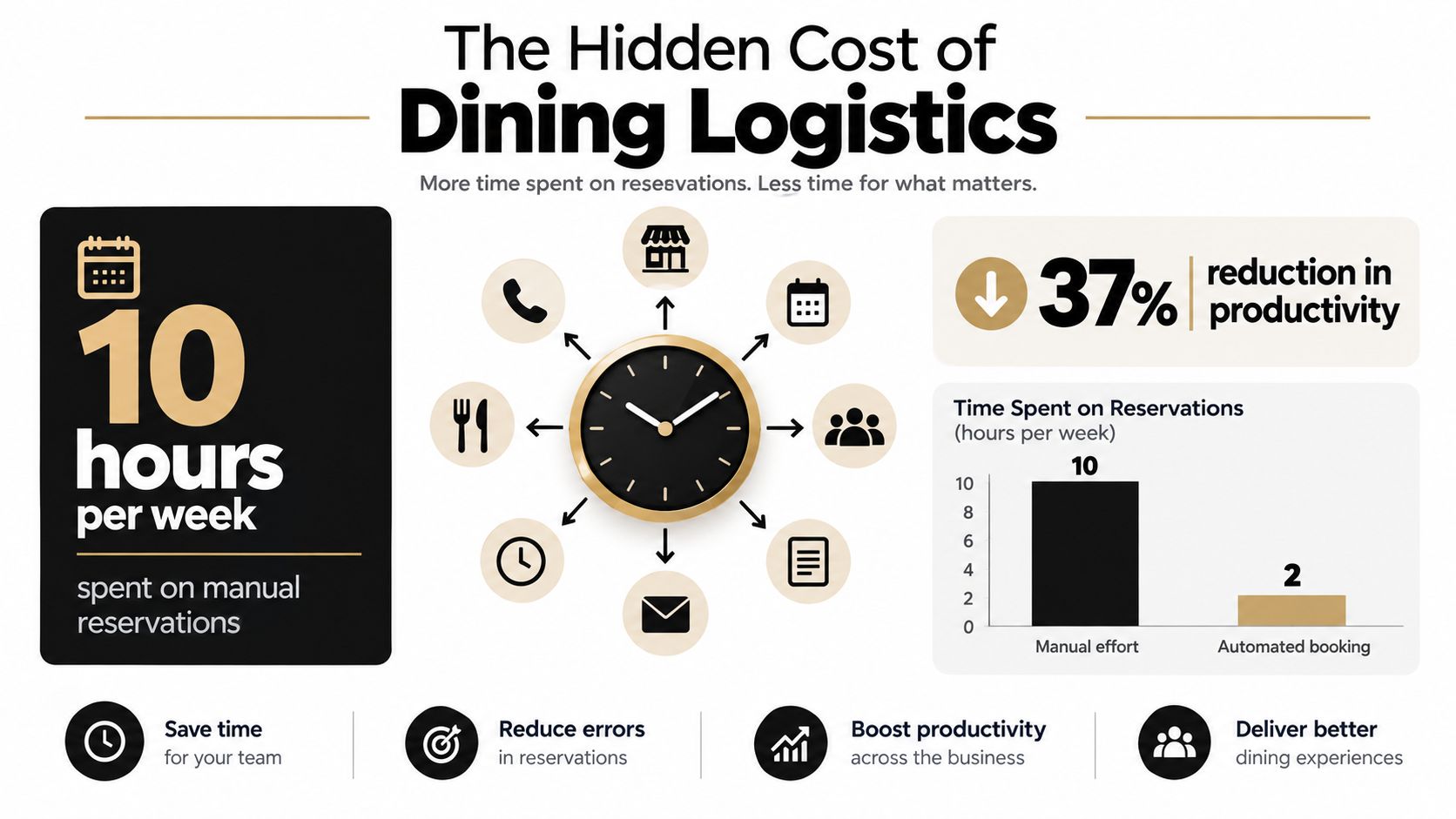
A useful way to assess the burden is to count touches, not just minutes. One booking may require a search, an attempted call, a confirmation, a calendar entry, a guest message, a modification, and a final reminder. Multiply that sequence across business dinners, family events, travel itineraries, and last-minute changes, and the reservation becomes an administrative thread that keeps reopening.
Why fragmentation creates second-shift work
Every platform has its own rules. Some show availability instantly, some route requests through a waitlist, and some require direct communication for special arrangements. Restaurants also operate under service pressure, so a message sent at the wrong time may not receive attention until the booking opportunity has passed.
The same pattern appears in other operational environments. A useful discussion of slow prep cost in commercial kitchens illustrates how small delays can affect a larger system. For the diner, the equivalent is a series of small unresolved tasks that consume attention throughout the day.
The solution isn't to obsess over every booking. It's to define which decisions belong to you and which can be delegated:
- You decide: The purpose of the dinner, acceptable trade-offs, spending boundaries, and guests who matter most.
- A support system handles: Availability checks, outreach, confirmations, calendar updates, reminders, and follow-ups.
- The record preserves: Preferences, restrictions, successful venues, failed approaches, and cancellation deadlines.
That division eliminates the second shift because it separates judgment from administration. You keep the decisions that carry personal or professional meaning. Someone else carries the operational noise.
Standard Operating Procedures for High-Demand Bookings
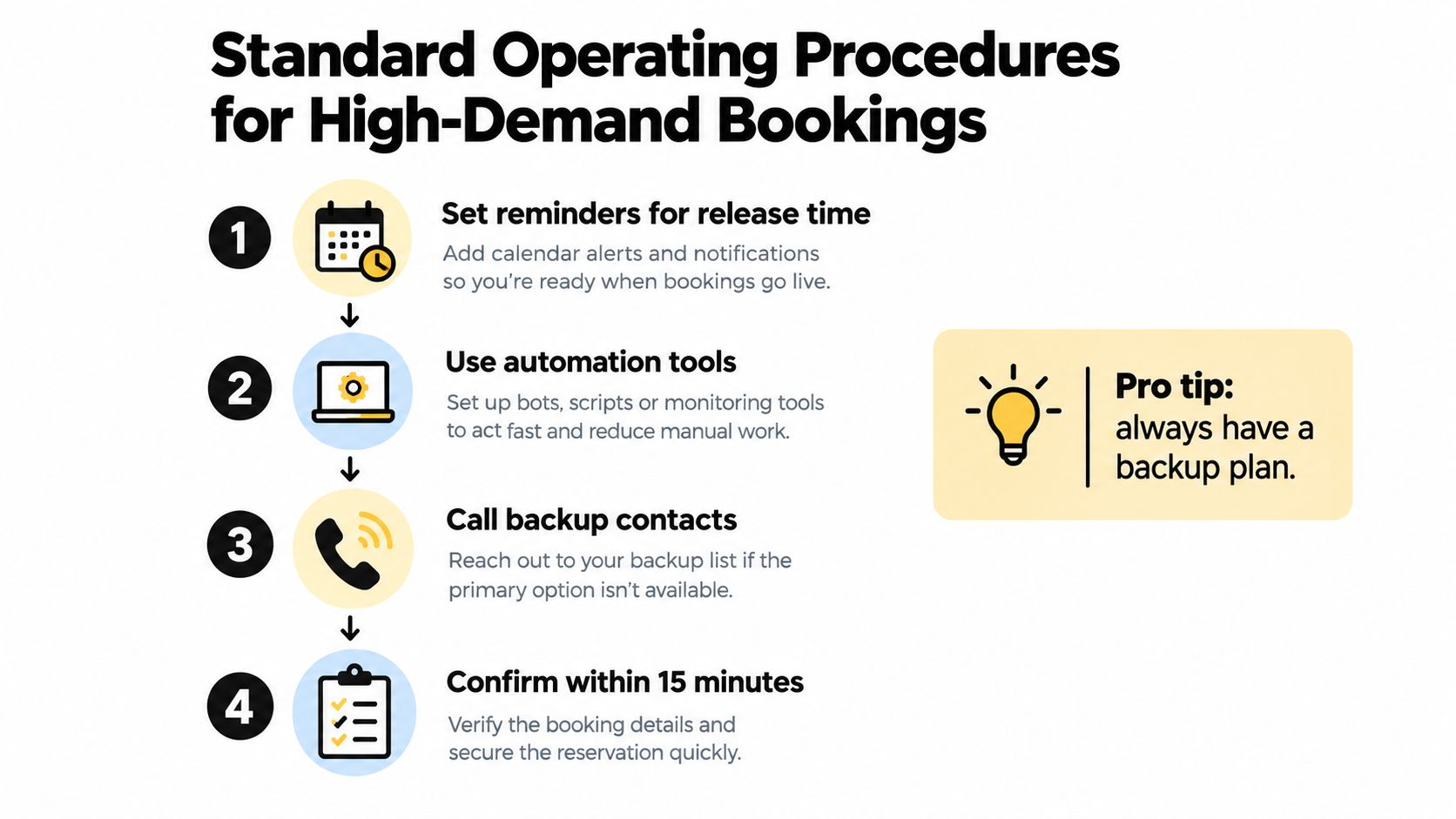
High-demand bookings reward preparation more than frantic refreshing. A repeatable SOP gives you several ways to succeed without making one booking platform the single point of failure.
Step one, map the booking window
Start with the restaurant's release pattern, preferred service period, and acceptable alternatives. Record the target time, a narrower backup window, a nearby neighborhood, and a second-choice venue. Put the release time on a calendar with an alert, then prepare the guest details before the booking opens.
The reason is simple. Preparation removes decisions from the moment when availability is changing fastest. If the first option disappears, you should be able to move to the second without starting the search again.
Step two, prepare the request
Use a concise brief:
- Date and target time
- Party size and names
- Occasion and guest profile
- Dietary or accessibility requirements
- Seating preferences
- Billing or privacy needs
- Acceptable alternatives
- Deposit authorization limits
A short, complete request gives a restaurant or Assistant team enough context to act without repeated questions. Avoid sending a long narrative that buries the actual booking criteria.
Step three, use secondary channels
If the primary platform fails, call the restaurant, email an appropriate contact, or use a reputable waitlist process. Keep a record of each attempt so two people don't create duplicate reservations.
This is also where a human operator has an advantage over a rigid booking tool. A person can recognize that a slightly earlier time, a different room, or a direct conversation may solve the problem without treating the platform's first answer as final.
Step four, confirm and protect the booking
Review the confirmation immediately. Check the date, local time, restaurant address, party size, guest name, deposit, and cancellation deadline. Add the reservation to the calendar with travel time and a reminder that gives guests enough notice.
For a more tactical approach to difficult availability, use this guide to last-minute restaurant reservations as a reference point, then adapt the process to the specific venue.
Modifying without creating new risk
When a meeting changes, don't cancel before checking whether the restaurant can edit the existing reservation. Ask for the smallest change necessary, such as adjusting the time or adding one guest, and request written confirmation after the update. If the restaurant says the change requires a new booking, keep the original reservation active until the replacement is confirmed.
Before cancelling, identify the penalty, deposit treatment, and whether the cancellation must be completed through the original channel. A clean audit trail prevents the common failure where a guest assumes a phone request was processed while the platform still shows the table as active.
The embedded walkthrough below provides additional context for the mechanics of high-demand booking workflows.
Navigating Special Requests and Cancellation Policies
A reservation confirmation only proves that a table exists. It doesn't prove that the restaurant has understood the conditions that make the dinner successful.
Special requests need an owner, a clear message, and a confirmation loop. Put the essential requirement in the booking notes, then contact the restaurant directly when the request affects food safety, accessibility, privacy, timing, or seating configuration. Ask the staff member to confirm what can be accommodated rather than assuming a text box has been reviewed.
Make requests operational
A useful message distinguishes requirements from preferences:
- Dietary restriction: Explain the ingredient or cross-contact concern in plain language.
- Accessibility need: State the physical requirement, such as step-free access or suitable table clearance.
- Billing arrangement: Ask whether separate checks, a company card, or a discreet payment process can be supported.
- Occasion detail: Give the restaurant enough context to coordinate without demanding a scripted experience.
- VIP or privacy request: Describe the desired outcome, such as a quieter table, rather than assuming a particular table can be guaranteed.
For a client dinner, write: “One guest has a severe nut allergy. Please confirm whether the kitchen can discuss cross-contact controls. A quiet table is preferred, but the dietary requirement is the priority.” That message gives the restaurant a decision hierarchy.
Practical rule: If a request would change the restaurant's preparation or seating decision, confirm it through a human channel.
Treat cancellation as part of the booking
Restaurants allocate scarce table capacity. A 2012 game-theoretic model found that penalties below the value of the meal were insufficient to offset lost revenue, while on busy nights a no-show fee equal to the full meal price could improve profit by 14.5% when demand can exceed capacity. The practical lesson is that a table slot has marginal value, so diners should treat cancellation deadlines as operating constraints, not fine print. The reservation no-show model explains that relationship between policy and capacity.
Published policy examples commonly vary rules by notice window and party size. One structure provides no charge at 48 or more hours, a warning or profile flag at 24 to 48 hours, and a $25 to $35 per-person no-show fee for under-24-hour cancellations or no-shows, charged to the card on file. Larger groups may face stricter treatment, including forfeited deposits and per-person charges. These are examples of published policies, not universal rules, so check the terms attached to each booking. This restaurant cancellation policy guide provides examples of how those structures are applied.
Set a reminder before the deadline, not at the reservation time. If plans are uncertain, ask whether the restaurant can hold the booking while you confirm, or release it early enough for the table to be used by another guest. That protects your finances and your standing with the venue.
Evaluating Tech Integrations and Automation Tools
Technology helps when it removes a decision or prevents a missed follow-up. It fails when it adds another dashboard that you must monitor.
Start with the simplest requirement. If you only need a calendar entry, a reminder, and a stored confirmation, a calendar workflow may be enough. If you need cross-platform outreach, special-request negotiation, multi-city coordination, and real-time judgment, a booking app alone may leave the hardest work untouched.
The phone channel deserves particular attention. 64% of diners still call to book, 40% of those calls go unanswered, and 74% are open to AI handling reservations, according to SevenRooms' restaurant trends research. For professionals, that gap matters because a missed call during peak service may represent a lost booking, an unconfirmed dietary request, or another task that returns to the personal queue.
| Approach | Time Cost | Flexibility | Best Use Case |
|---|---|---|---|
| Calendar syncing | Low after setup | Low to moderate | Tracking confirmed reservations, travel time, and reminders |
| Automated booking apps | Moderate setup and monitoring | Moderate for standard bookings, limited for nuanced requests | Releasing alerts, checking routine availability, and managing basic waitlists |
| Human Assistant team | Low ongoing involvement after preferences and limits are defined | High across phone, text, email, and changing itineraries | High-demand bookings, special requests, modifications, cancellations, and multi-city logistics |
Choose by exception handling
The critical question is not whether a tool can make a booking. Most tools can handle a standard booking. Ask what happens when the restaurant has no online inventory, the party size changes, the platform conflicts with a direct confirmation, or the guest has a requirement that needs discussion.
A useful comparison from another hospitality technology category is the range of solutions for wine merchants, where software may support repeatable operational tasks but still depends on clear inputs and human decisions around exceptions. Reservation management follows the same principle.
Automation is appropriate for repetitive mechanics. Human support is appropriate when the cost of a wrong assumption exceeds the cost of delegation. The right stack may combine both, with software storing facts and a person managing ambiguity.
Outsourcing to an Assistant Team
Delegation works when the handoff is designed like an operating system, not a casual request. “Find somewhere good for dinner” creates unnecessary back-and-forth. “Book a quiet restaurant near the client's hotel on Tuesday, target time 7 p.m., party of four, no shellfish, total budget within this range, and contact me only if the deposit exceeds this limit” gives an Assistant team a usable brief.
Build the preference baseline
Create a living profile that covers:
- Preferred neighborhoods and travel radius
- Restaurants already liked or rejected
- Cuisine preferences and exclusions
- Seating, accessibility, and privacy preferences
- Typical party sizes and guest types
- Acceptable deposits and cancellation exposure
- Calendar access and travel-buffer rules
- Escalation contacts and off-hours boundaries
The profile should distinguish firm requirements from negotiable preferences. That distinction lets the Assistant team make decisions without asking you to approve every minor variation.
Define the handoff protocol
Use a consistent sequence:
- Request: Send the date, city, purpose, party details, target time, and constraints.
- Research: Have the Assistant team check the preferred platform and direct restaurant channels.
- Escalation: Require approval only for decisions outside the stated limits.
- Confirmation: Store the booking details and place the event on the calendar.
- Monitoring: Track changes, reminders, guest communications, and cancellation deadlines.
- Closeout: Record what worked and update preferences for the next request.
Triple-channel access matters because the request should fit the moment. A text may be fastest between meetings, a call may be useful while traveling, and email may be better for an itinerary with several bookings. All three channels should feed the same context, rather than creating separate versions of the plan.
Outsourcing to a virtual assistant can help clarify which administrative tasks are suitable for delegation, but the operating standard should remain specific: delegate execution, retain decision rights, and make authorization boundaries explicit.
Approved Lux Personal Assistant is one option for this model. Its US-based Assistant team handles restaurant reservations and related logistics through phone, SMS text, or email, with 24/7 access and Proactive Preference Learning that captures preferences over time. The subscription provides flexible support without the payroll, benefits, and direct management obligations of hiring an employee.
Reclaiming Time Through Operational Delegation
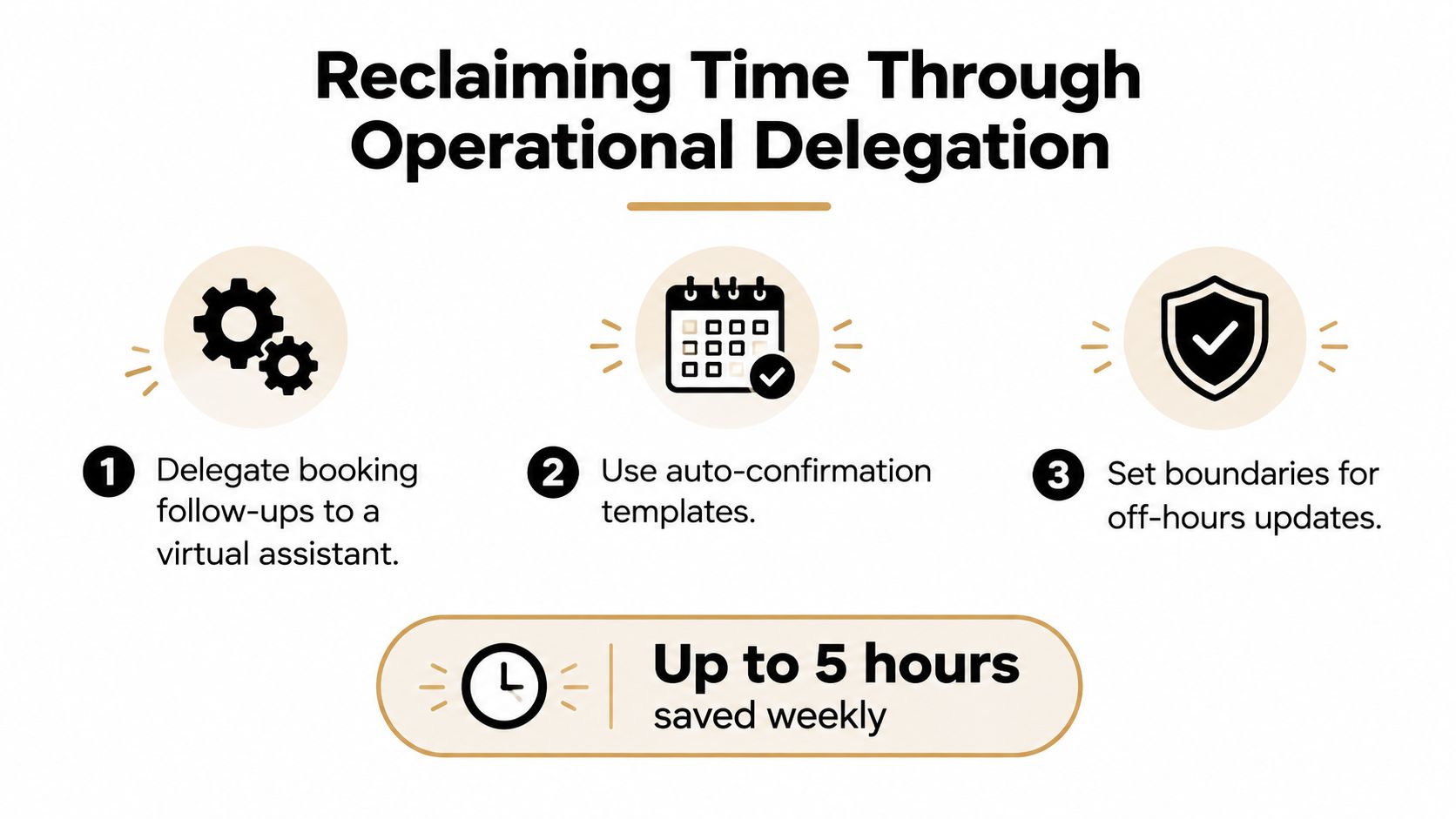
Restaurant reservation management should end with a small audit, not another open task. Look at the last several bookings and identify where the work accumulated: availability searches, unanswered calls, guest coordination, special requests, calendar maintenance, changes, or cancellation tracking.
Use this checklist:
- Count recurring touches: Note every action required from request to completed dinner.
- Separate judgment from execution: Keep preferences, priorities, and spending limits. Delegate searches, calls, confirmations, and reminders.
- Set exception rules: Decide which changes require approval and which can be handled independently.
- Create one source of truth: Keep confirmations, deadlines, guest details, and calendar entries together.
- Review the workflow: After each difficult booking, update the preference record instead of solving the same problem again.
The return isn't limited to a better table. Delegation restores uninterrupted attention, protects professional relationships, and prevents personal administration from expanding into a second shift. A restaurant booking is a small workflow, but a managed collection of small workflows becomes meaningful operational advantage.
Approved Lux Personal Assistant offers 24/7 support for restaurant reservations, travel logistics, scheduling, and follow-ups through Triple-channel access to a US-based Assistant team. Visit Approved Lux Personal Assistant to replace recurring dining coordination with a managed process built around your preferences and authorization limits.
Want the wider view?
Ten categories. One report. Every quarter. The Approved List tracks what's rising and what's fading: data-backed signals, not opinions.
Free to join · Delivered by email